MASTG-KNOW-0081: UIActivity Sharing
Starting with iOS 6, apps can share data (items) via the system-wide "Share Sheet" using "Activity Views", which are implemented in the UIActivityViewController API.
From a user perspective, this is the familiar "Share" button available throughout iOS. The following figure shows such a "Share Sheet" when sharing a link in the Safari browser:
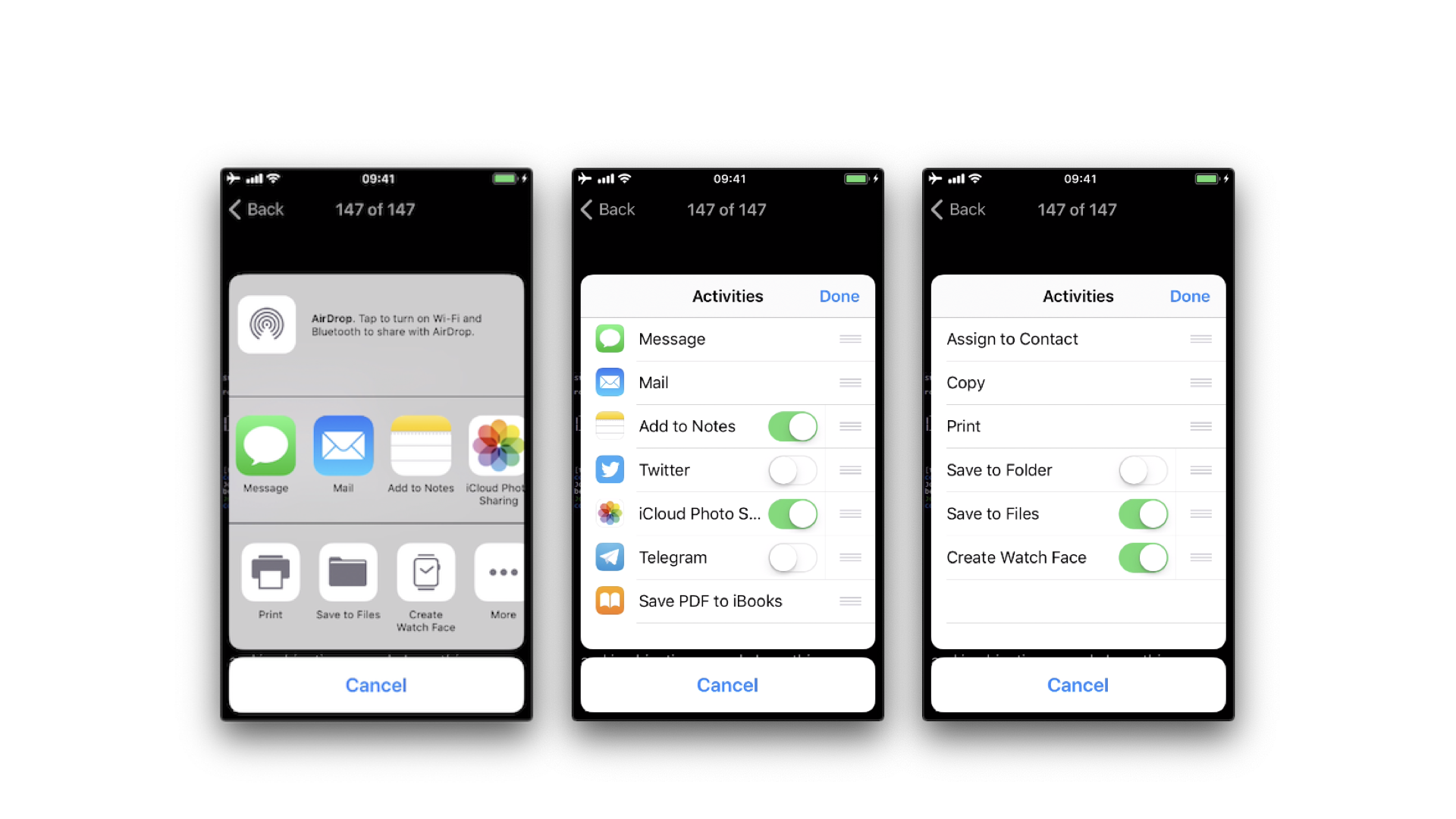
Initializing a UIActivityViewController
Developers create a UIActivityViewController by calling init(activityItems:applicationActivities:), passing:
activityItems: An array of data objects to share. Items can be of any type that conforms toUIActivityItemSourceor is directly shareable (for example,String,URL,UIImage).applicationActivities: An optional array of customUIActivitysubclass instances representing app-specific services.
The following example initializes a UIActivityViewController to share a string and a URL:
let activityVC = UIActivityViewController(
    activityItems: ["Hello, World!", URL(string: "https://example.com")!],
    applicationActivities: nil
)
present(activityVC, animated: true)
Built-in Activity Types
The system provides a set of built-in activity types defined in UIActivity.ActivityType. The following list shows some of them:
airDropassignToContactcopyToPasteboardmailmessagesaveToCameraRolladdToReadingListmarkupAsPDFprint
Several legacy social activity types should no longer be relied on on modern iOS. The types postToFacebook, postToTwitter, postToWeibo, postToVimeo, postToFlickr, and postToTencentWeibo were tied to the older system level Social framework and account integration. The relevant service constants in <Social/SLServiceTypes.h> were deprecated in the iOS 11 SDK, and iOS 11 removed the Settings level social account integration. As a result, these legacy built in social activities generally do not appear as system provided sharing destinations on modern iOS. Social sharing today is usually exposed through share extensions supplied by installed apps, and those extensions use their own activity types rather than the old UIActivity.ActivityType.postTo... constants.
Excluding Activity Types
An app can restrict which activity types are presented by setting the excludedActivityTypes property before presenting the controller:
activityVC.excludedActivityTypes = [
    .saveToCameraRoll,
    .addToReadingList,
    .airDrop,
]
If excludedActivityTypes is not set or is nil, all available activity types are presented.
This control has important limitations and is not a security boundary:
- It only affects the built-in system activity types listed in
UIActivity.ActivityType. As confirmed by an Apple Frameworks Engineer, apps "are not allowed to exclude extension activities that come from other apps" — so third-party share extensions (for example, third-party messengers or cloud-storage apps), which are the dominant sharing channels on modern iOS, cannot be excluded. - The built-in set can grow between iOS releases, and newly introduced types are not excluded automatically, so an exclusion list is never exhaustive.
In practice, excludedActivityTypes is useful for hiding destinations that make no sense for a given item (for example, hiding "Save to Camera Roll" for a text document), not for protecting sensitive data. When an app presents a Share Sheet, the user deliberately chooses where the data goes, and the most common destinations (third-party share extensions) cannot be excluded at all. Deciding whether to share a given item at all is therefore a user-consent concern rather than something the app can technically enforce through this API.
Receiving Items
Apps can also be on the receiving end of the Share Sheet and of inter-app file sharing. When an app declares that it can open certain file or document types, other apps (and AirDrop, Mail, etc.) can hand files to it.
The relevant declarations live in the app's Info.plist:
UTExportedTypeDeclarations/UTImportedTypeDeclarations: declare custom Uniform Type Identifiers (UTIs) that the app exports or imports.CFBundleDocumentTypes: declares which document types the app can open. Each entry consists of a name and one or more UTIs representing the data type (for example,public.pngfor PNG files). iOS uses this to determine whether the app is eligible to open a given document — declaring UTIs alone viaUTExportedTypeDeclarations/UTImportedTypeDeclarationsis not sufficient.
When another app or the system hands a file to the app, iOS delivers it via:
application(_:open:options:)on the app delegate (for apps using the traditional app-delegate lifecycle), orscene(_:openURLContexts:)on the scene delegate (for apps using the UIScene lifecycle).
The app is responsible for validating the received URL and file, and for deleting any file placed in its Documents/Inbox/ directory once it has finished processing it.
Custom Activities
Apps can provide their own activities by subclassing UIActivity and passing instances via the applicationActivities parameter. Custom activities appear alongside the system activities in the Share Sheet.
A custom UIActivity receives the shared items in prepare(withActivityItems:) and acts on them in perform(). Because the implementation of these methods is entirely under the app's control, a custom activity can do anything with the (potentially sensitive) items it receives, such as uploading them to a backend, writing them to disk, or logging them. Any custom activity that handles sensitive data should therefore do so securely, following the same data-storage, logging and network-communication requirements that apply to the rest of the app.