MASTG-TECH-0057: Listing Installed Apps
When targeting apps installed on the device, you'll first need to determine the correct bundle identifier for the application you want to analyze. You can use frida-ps -Uai to get all apps (-a) currently installed (-i) on the connected USB device (-U):
$ frida-ps -Uai
 PID  Name                 Identifier
----  -------------------  -----------------------------------------
6853  iGoat-Swift          OWASP.iGoat-Swift
6847  Calendar             com.apple.mobilecal
6815  Mail                 com.apple.mobilemail
   -  App Store            com.apple.AppStore
   -  Apple Store          com.apple.store.Jolly
   -  Calculator           com.apple.calculator
   -  Camera               com.apple.camera
It also shows which of them are currently running ( iGoat-Swift, for example). Note the "Identifier" (bundle identifier: OWASP.iGoat-Swift) and the PID (6853) as you'll need them for further analysis.
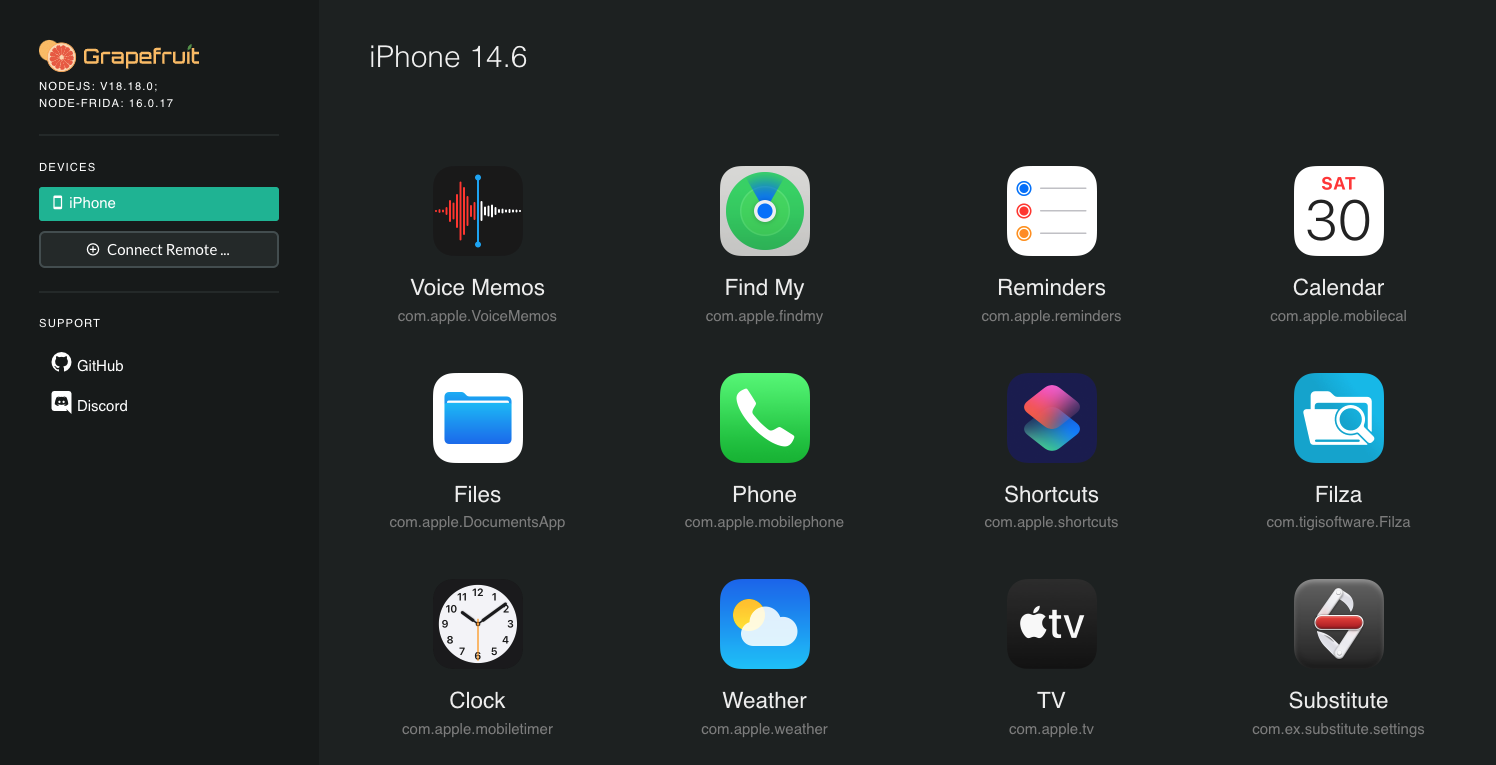
You can also open Grapefruit directly and, after selecting your iOS device, you'll get the list of installed apps.